kSampleFind
Search, audition and organise large sample libraries.
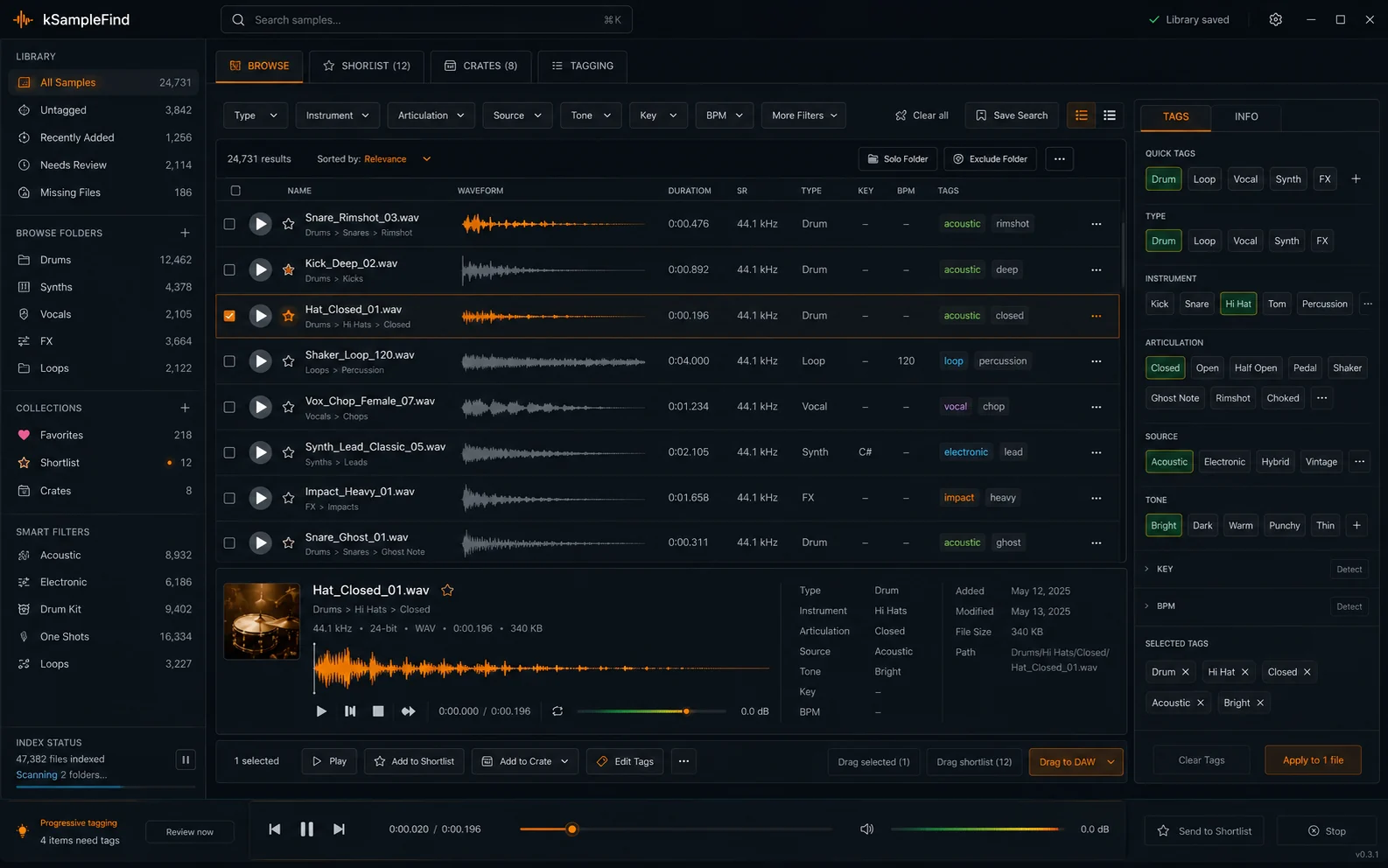
Search filenames, paths, aliases and metadata, preview results, keep shortlists and use the standalone app with a DAW plugin companion.
Video
From search to session
A short walkthrough of searching, filtering, auditioning and moving a sample into the DAW.
Search workflow
Search across the information attached to your library.
kSampleFind indexes filenames, paths, aliases and metadata. You can narrow results with musical metadata, audition candidates, keep shortlists and use the selected sound in your DAW workflow.
Features
Features
Indexed text search
Search filenames, paths, aliases, tags and available metadata.
Musical metadata
Filter by type, instrument, articulation, source and tone.
Fast auditioning
Preview waveforms and listen without opening files one by one.
Shortlists and collections
Use favourites, shortlists and crates to keep candidates close.
Library maintenance
Detect missing files and keep the database persistent between sessions.
DAW workflow
Use the standalone application alongside a DAW plugin companion.
Specifications
Product details
- Search
- Indexed text search and aliases
- Metadata
- Type, instrument, articulation, source, tone
- Audition
- Waveform preview and audio playback
- Collections
- Favorites, shortlist and crates
- Library
- Missing-file detection and persistent database
- Workflow
- Standalone app plus DAW plugin companion
- Formats
- AU · VST3 · AAX
- Operating systems
- Mac · Windows
kSampleFind
Try kSampleFind
Full product trial available.
Secure payment processed by [PAYMENT PROCESSOR]. Purchase is subject to the Terms & Conditions and Software Licence Agreement.